
How To Make A Golf Simulator starts with choosing a room that provides enough space for a safe golf swing, then combining a launch monitor, hitting mat, impact screen or net, projector, computer, and simulator software. You can build a simple practice setup for a relatively modest budget or create a dedicated room that feels much closer to playing on a real course.
The key is to plan the entire system before buying individual components. Room dimensions affect the screen, projector, launch monitor, and hitting position, while your budget determines how advanced the tracking technology can be. A well-planned golf simulator can provide year-round practice, virtual rounds, and useful shot data without requiring a trip to the golf course.
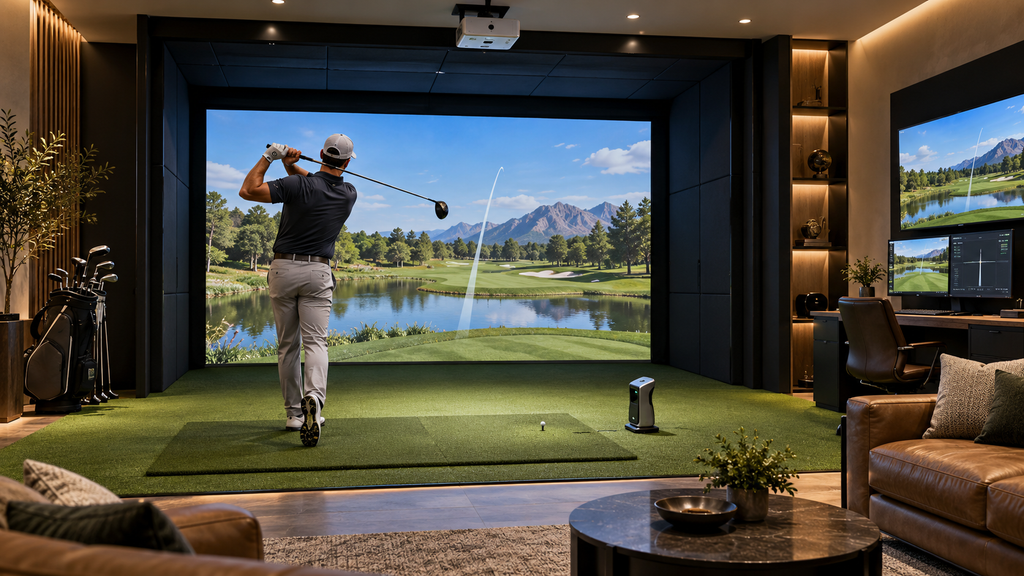
Choose The Right Room For Your Golf Simulator
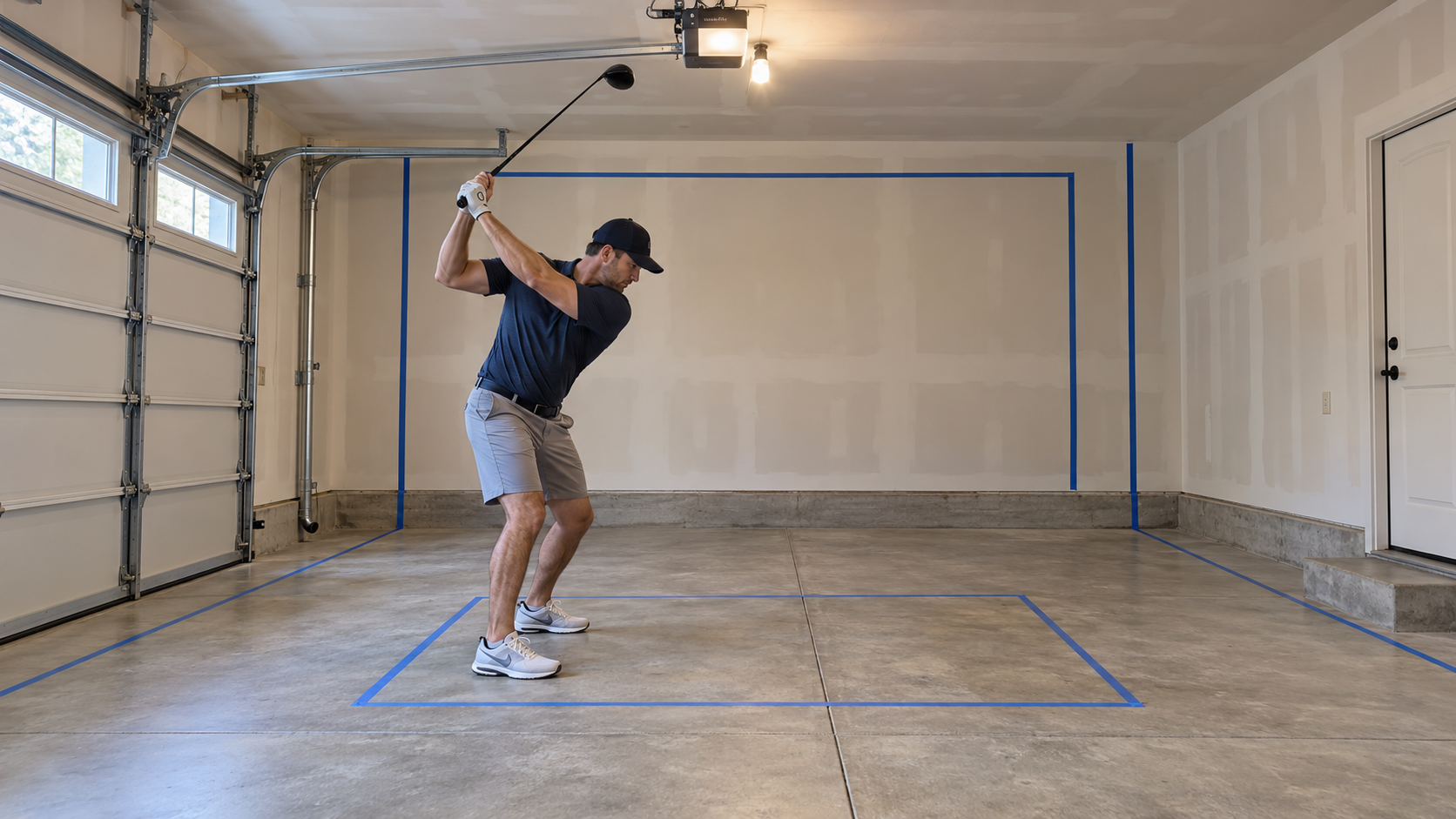
The first step in How To Make A Golf Simulator is finding enough space to swing comfortably. Ceiling height is especially important because a driver requires much more clearance than a short iron. Many golfers prefer roughly 9 to 10 feet of ceiling height, although taller players or golfers with upright swings may need additional room. Width should also allow the golfer to swing without worrying about walls, furniture, or equipment.
Room depth matters because you need space for the impact screen, hitting position, projector, and possibly a launch monitor positioned behind the ball. As a useful high-end reference, the official TrackMan golf simulator guidance recommends about 15 feet of width, 10 feet of height, and 18 feet of depth for its ideal setup, although individual systems have different requirements. Before buying anything, make several full driver swings in the proposed space and carefully check all clearances.
Select A Launch Monitor
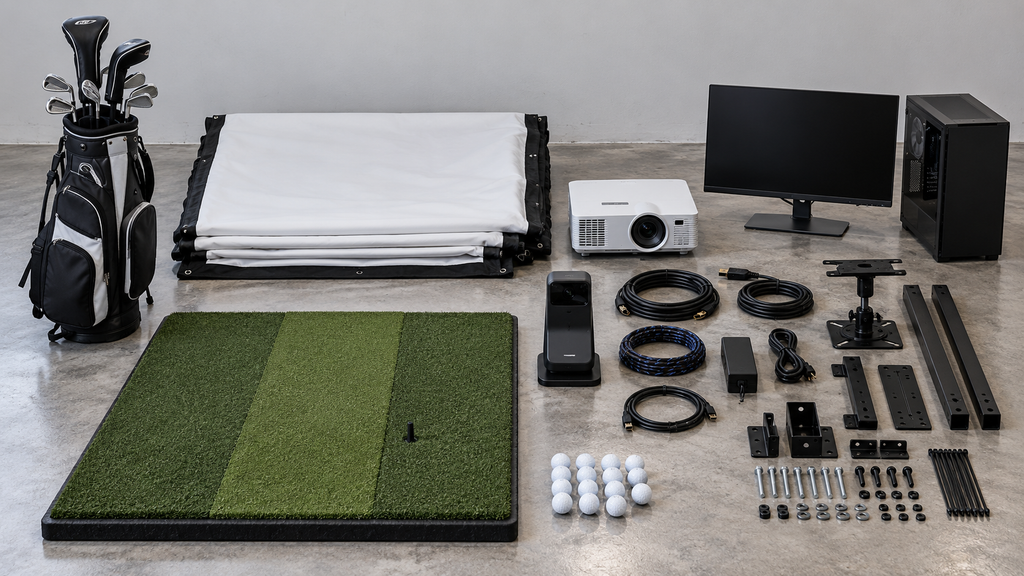
A launch monitor is one of the most important components when learning How To Make A Golf Simulator. It measures what happens when you hit the ball and sends that information to simulator software. Depending on the device, it may measure ball speed, launch angle, carry distance, spin, club speed, club path, and other data. The software uses these measurements to recreate the shot on a virtual course or practice range.
Launch monitors range from relatively affordable consumer devices to professional systems costing thousands of dollars. Some use cameras positioned near the ball, while others use radar and require more space behind the hitting area. Ceiling-mounted systems can keep the floor clear but usually cost more. Choose your launch monitor before finalizing the room because its space requirements can determine where the golfer, screen, and other equipment need to be positioned.
Install An Impact Screen And Enclosure
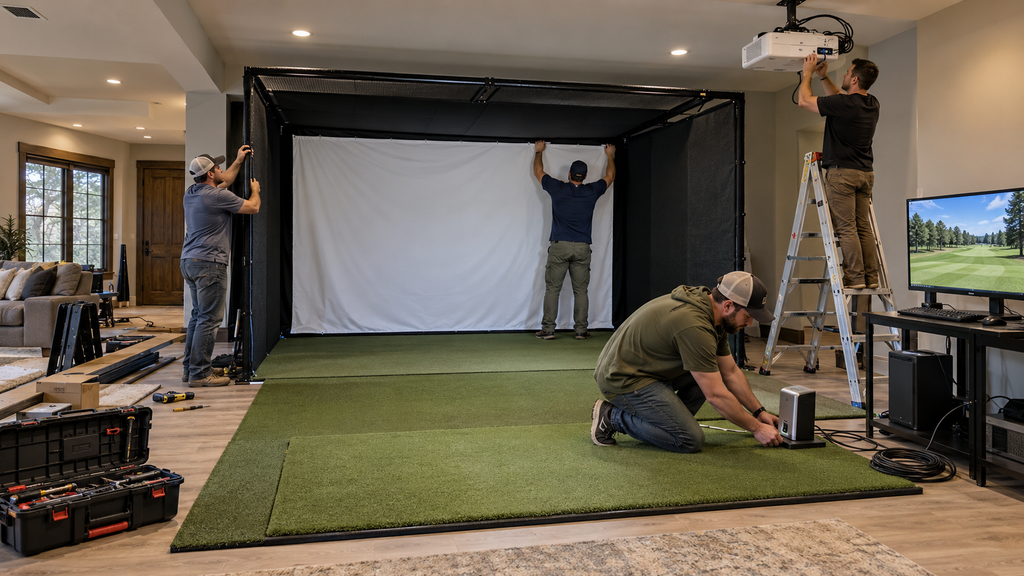
An impact screen lets you hit real golf balls while displaying the projected simulator image. It needs to withstand thousands of high-speed impacts without tearing or producing excessive bounce-back. Leave enough space between the screen and the wall behind it so the material can absorb the force of the ball instead of allowing the ball to strike a hard surface.
Safety should also guide How To Make A Golf Simulator. Side curtains or a full enclosure can catch shots that miss the main screen, while padding can protect nearby walls and structural surfaces. Make sure there are no exposed windows, lights, shelves, or hard objects within the likely ball path. If you are trying to understand how individual components affect your overall investment, our guide on how much are golf simulators explains typical price ranges for basic, mid-range, and premium setups.
Choose A Good Golf Hitting Mat
A quality hitting mat provides a stable surface and helps protect both the floor and your joints. Cheap mats may feel extremely hard and can become uncomfortable after repeated iron shots. A better mat allows the club to interact with the surface more naturally while providing enough cushioning for regular practice. Some systems include a replaceable hitting strip so the most heavily used section can be changed without replacing the entire floor.
When planning How To Make A Golf Simulator, position the hitting area only after confirming your launch monitor and screen requirements. You need enough room behind the golfer for the backswing and enough distance from the screen to reduce bounce-back. Mark the proposed ball position with tape, then make full swings with your longest club before securing the mat or building permanent flooring around it.
Add A Projector And Computer
A projector creates the large virtual-course image that makes a golf simulator feel immersive. Look for enough brightness to produce a clear picture in your room and select a resolution that matches your expectations and budget. Short-throw projectors are popular because they can produce a large image from a relatively short distance, reducing the risk of the golfer creating a large shadow on the screen.
A capable computer is another important part of How To Make A Golf Simulator because simulator software can require substantial graphics processing power. Check the recommended specifications for your chosen software before buying a computer. Higher resolutions and advanced graphics typically require stronger hardware. Position the computer, projector, and cables where they will not interfere with the golfer, and protect exposed wiring so nobody trips while moving around the simulator.
Pick Your Golf Simulator Software
Simulator software turns launch-monitor measurements into an interactive golf experience. Depending on the platform, you may get virtual driving ranges, practice modes, skills challenges, multiplayer games, tournaments, and realistic recreations of golf courses. Some launch monitors include basic software, while advanced courses and features may require an additional purchase or annual subscription.
Your software choice can influence How To Make A Golf Simulator because not every platform works with every launch monitor. Check compatibility before purchasing either component. Also consider how you plan to use the simulator. A golfer focused on swing improvement may value detailed practice information more than hundreds of virtual courses, while a family or group of friends may prefer multiplayer games and a wider selection of courses.
Set Up And Calibrate The Simulator
Once all the equipment is installed, connect the launch monitor, computer, projector, and software according to the manufacturer’s instructions. Align the projected image with the impact screen and adjust the resolution so it fills the viewing area properly. Then confirm that the launch monitor is positioned correctly relative to the hitting area and target line. Even small alignment errors can affect how shots appear on the screen.
Calibration is a critical part of How To Make A Golf Simulator because accurate equipment can still produce misleading results if it is installed incorrectly. Hit a series of short irons, longer irons, and driver shots to make sure the system recognizes different speeds and trajectories. Check putting as well if your software supports it. Once everything works properly, mark or secure important positions so the launch monitor and hitting mat do not shift during regular use.
Finish The Room And Start Practicing
The final stage is making the room comfortable and practical. Add turf around the hitting mat if you want a more finished appearance, along with storage for clubs, balls, tees, and accessories. Seating can make the room more enjoyable for multiplayer rounds, while suitable lighting can help you see the ball and controls without washing out the projected image. Ventilation is also worth considering because a simulator room can become warm during longer practice sessions.
Ultimately, How To Make A Golf Simulator comes down to planning the space correctly and choosing components that work together. Start with room measurements, then select the launch monitor, screen, enclosure, mat, projector, computer, and compatible software. Test everything before making permanent changes, and upgrade components later if your budget requires a gradual build. Once the system is ready, you can use it alongside ideas from how to practice golf at home to create more structured practice sessions. For more golf simulator guides, equipment information, and playing tips, visit Roaming Scores.